
Panduan ini mencakup integrasi pengiriman notifikasi transaksional otomatis, mulai dari ringkasan invoice baru, konfirmasi pembayaran, hingga update nomor resi ekspedisi.
1. Pratinjau Pesan Invoice di Layar Pengguna
Tampilan template transaksi dengan tombol tautan pembayaran instan:
CODE
1┌──────────────────────────────────────────────┐
2│ 🛍️ PFN Store: Tagihan Pesanan │
3│ │
4│ Halo *Budi Setiawan*, │
5│ Pesanan *#INV-2026-0891* telah dibuat! │
6│ │
7│ • Total Tagihan: *Rp 150.000* │
8│ • Jatuh Tempo : 24 Agustus 2026, 23:59 WIB │
9│ │
10│ Silakan lakukan pembayaran melalui tautan di │
11│ bawah ini: │
12│ ──────────────────────────────────────────── │
13│ [ 💳 Bayar Sekarang ] │
14│ 10:15 ✓✓ │
15└──────────────────────────────────────────────┘
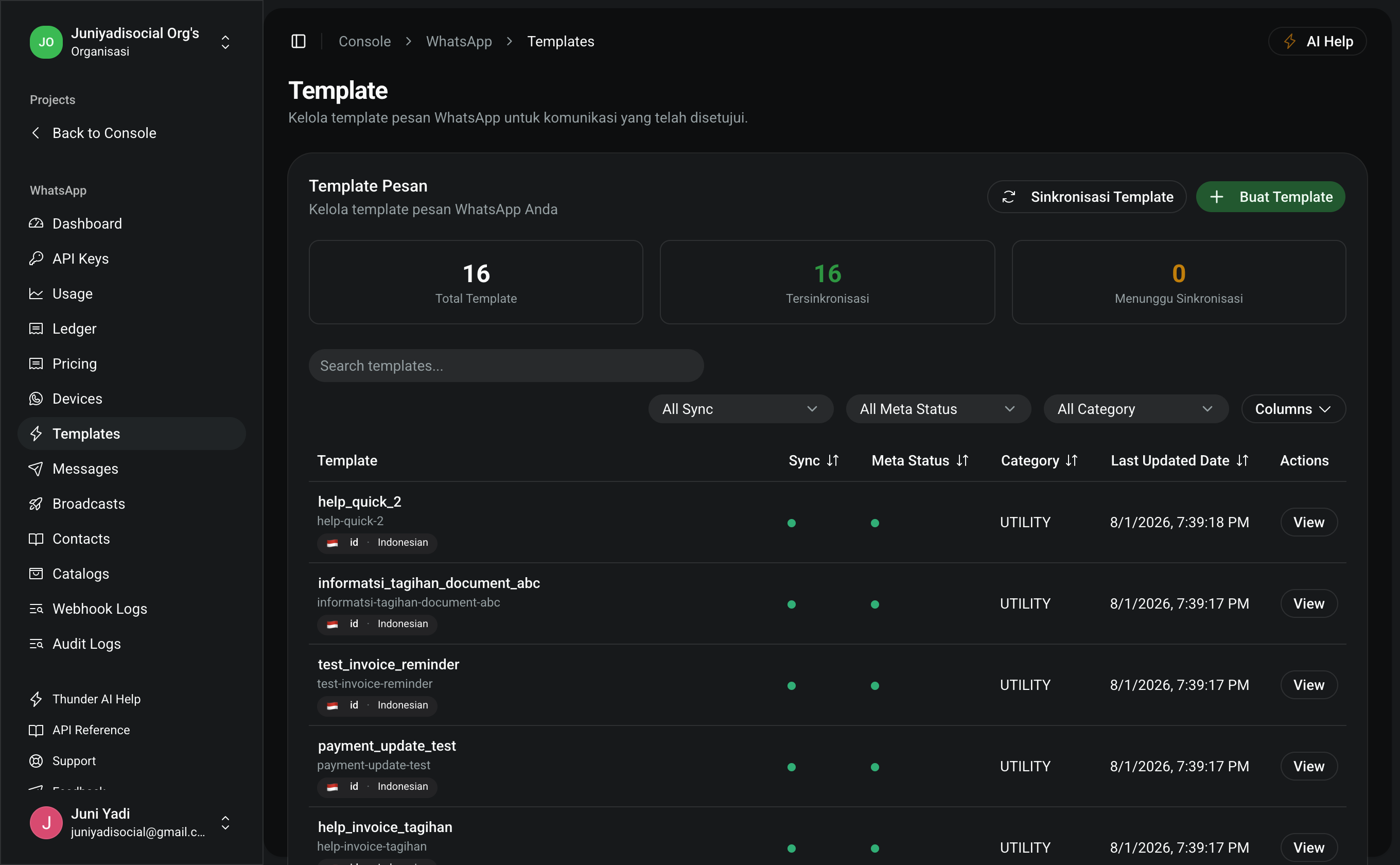
2. Persiapan Template (1 Menit)
- Buka menu Console > WhatsApp > Templates (
/console/whatsapp/templates). - Buat template dengan spesifikasi:
-
Nama Template:
order_invoice_update -
Kategori:
UTILITY -
Bahasa:
id -
Isi Body:
CODE1Halo *{{1}}*,2Pesanan *#{{2}}* telah dibuat!34• Total Tagihan: *{{3}}*5• Jatuh Tempo : {{4}}67Silakan lakukan pembayaran melalui tautan di bawah ini: -
Tombol: URL Button
https://pfnapp.id/pay/{{1}}
-
3. Contoh Implementasi Pengiriman
Kirimkan HTTP POST ke /api/whatsapp/messages membawa nilai parameter dinamis:
Node.js / TypeScript (Next.js / Express)
TYPESCRIPT
1interface InvoiceNotificationPayload {
2 customerPhone: string
3 customerName: string
4 invoiceNumber: string
5 totalAmount: string
6 dueDate: string
7 invoiceSlug: string
8}
9
10export async function sendInvoiceNotification(
11 data: InvoiceNotificationPayload
12) {
13 const response = await fetch("https://pfnapp.id/api/whatsapp/messages", {
14 method: "POST",
15 headers: {
16 Authorization: `Bearer ${process.env.PFN_WHATSAPP_API_KEY}`,
17 "Content-Type": "application/json",
18 },
19 body: JSON.stringify({
20 to: data.customerPhone,
21 type: "template",
22 template: {
23 name: "order_invoice_update",
24 language: { code: "id" },
25 components: [
26 {
27 type: "body",
28 parameters: [
29 { type: "text", text: data.customerName }, // {{1}}
30 { type: "text", text: data.invoiceNumber }, // {{2}}
31 { type: "text", text: data.totalAmount }, // {{3}}
32 { type: "text", text: data.dueDate }, // {{4}}
33 ],
34 },
35 {
36 type: "button",
37 sub_type: "url",
38 index: "0",
39 parameters: [
40 { type: "text", text: data.invoiceSlug }, // Akhiran URL tombol bayar
41 ],
42 },
43 ],
44 },
45 }),
46 })
47
48 return await response.json()
49}
PHP / Laravel (Payment Event Listener)
PHP
1namespace App\Listeners;
2
3use App\Events\OrderCreated;
4use Illuminate\Support\Facades\Http;
5
6class SendWhatsAppInvoiceNotification
7{
8 public function handle(OrderCreated $event): void
9 {
10 $order = $event->order;
11
12 Http::withToken(config('services.pfn.whatsapp_key'))
13 ->post('https://pfnapp.id/api/whatsapp/messages', [
14 'to' => $order->customer_phone,
15 'type' => 'template',
16 'template' => [
17 'name' => 'order_invoice_update',
18 'language' => ['code' => 'id'],
19 'components' => [
20 [
21 'type' => 'body',
22 'parameters' => [
23 ['type' => 'text', 'text' => $order->customer_name],
24 ['type' => 'text', 'text' => $order->invoice_number],
25 ['type' => 'text', 'text' => 'Rp ' . number_format($order->total_amount, 0, ',', '.')],
26 ['type' => 'text', 'text' => $order->due_date_formatted],
27 ],
28 ],
29 [
30 'type' => 'button',
31 'sub_type' => 'url',
32 'index' => '0',
33 'parameters' => [
34 ['type' => 'text', 'text' => $order->id],
35 ],
36 ],
37 ],
38 ],
39 ]);
40 }
41}
Python (Celery / Background Worker)
PYTHON
1import os
2import requests
3
4def dispatch_invoice_whatsapp(phone: str, name: str, inv_no: str, total: str, due: str, inv_id: str):
5 url = "https://pfnapp.id/api/whatsapp/messages"
6 payload = {
7 "to": phone,
8 "type": "template",
9 "template": {
10 "name": "order_invoice_update",
11 "language": {"code": "id"},
12 "components": [
13 {
14 "type": "body",
15 "parameters": [
16 {"type": "text", "text": name},
17 {"type": "text", "text": inv_no},
18 {"type": "text", "text": total},
19 {"type": "text", "text": due},
20 ],
21 },
22 {
23 "type": "button",
24 "sub_type": "url",
25 "index": "0",
26 "parameters": [{"type": "text", "text": inv_id}],
27 },
28 ],
29 },
30 }
31
32 headers = {
33 "Authorization": f"Bearer {os.getenv('PFN_WHATSAPP_API_KEY')}",
34 "Content-Type": "application/json",
35 }
36
37 res = requests.post(url, json=payload, headers=headers)
38 return res.json()
4. Tips & Penanganan Masalah
- Jumlah Parameter Harus Sama: Jika di template terdapat 4 placeholder
{{1}}s/d{{4}}, arrayparameterswajib berisi tepat 4 elemen. Kurang atau lebih akan menyebabkan error validasi Meta. - Karakter Khusus: Hindari karakter tabulasi atau baris baru berlebih di dalam parameter teks tunggal.