
This guide covers setting up two-way WhatsApp communication by capturing inbound messages via Webhooks and triggering automated responses from your server.
1. Mobile Preview of the Two-Way Interaction
Example automated Q&A flow between a user and your backend auto-responder:
CODE
1┌──────────────────────────────────────────────┐
2│ 👤 Customer: │
3│ "Hi, can I check your menu and pricing?" │
4│ 13:00 ✓✓ │
5│ │
6│ 🤖 PFNApp Bot (Automated Reply): │
7│ "Hello! 👋 Thank you for reaching out. Here │
8│ are quick navigation options: │
9│ │
10│ 1️⃣ Type *PROMO* for today's discount │
11│ 2️⃣ Type *MENU* for product catalog │
12│ 3️⃣ Type *SUPPORT* to reach our team" │
13│ 13:00 ✓✓ │
14└──────────────────────────────────────────────┘
2. Webhook Setup (1 Minute)
- Open Console > WhatsApp > Webhooks (
/console/whatsapp/webhooks). - Input your public backend webhook endpoint:
- Example:
https://api.yourdomain.com/api/whatsapp/webhook
- Example:
- Note your Webhook Secret for cryptographic signature verification.
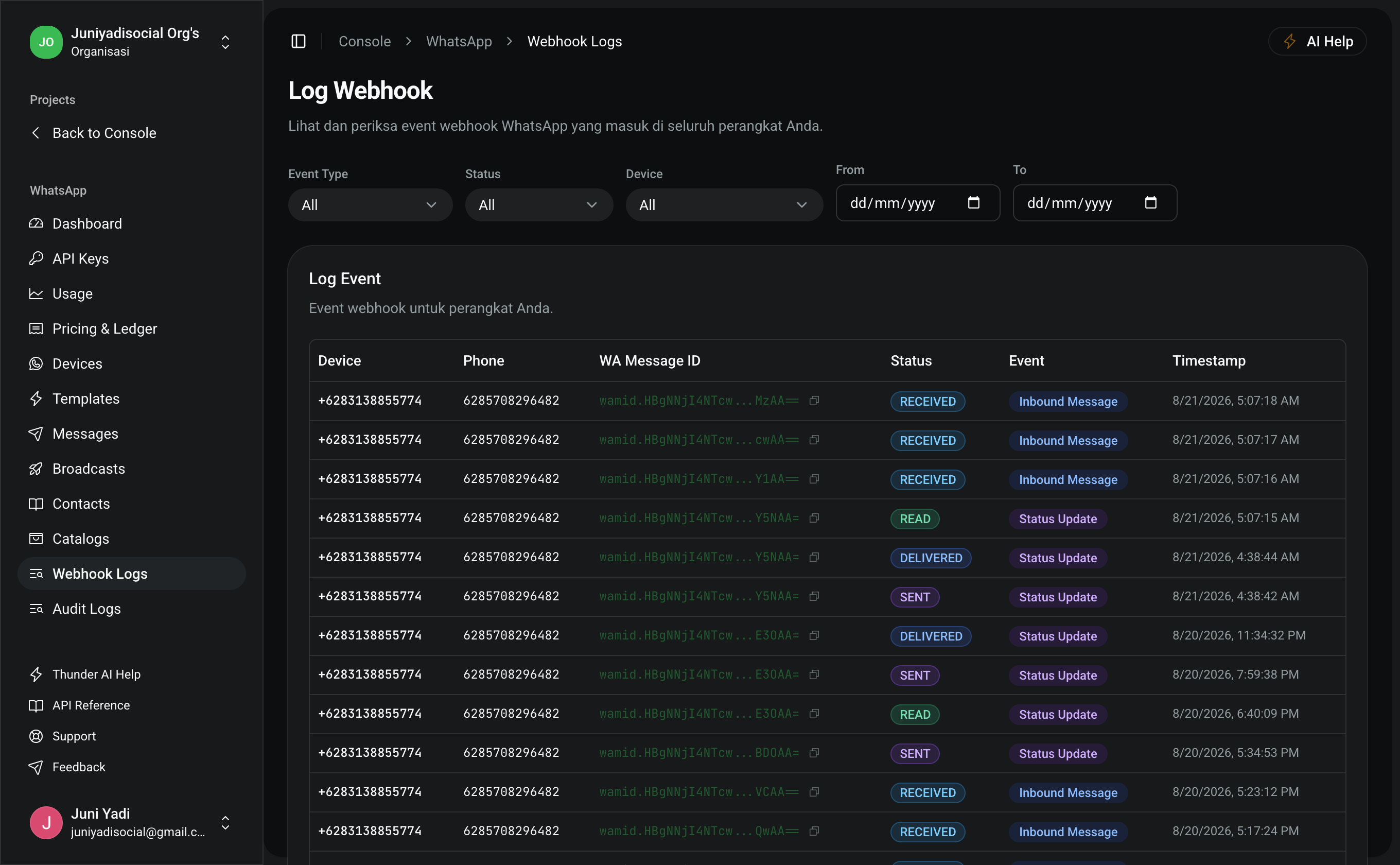
3. Inbound Payload Structure
When a customer messages your WhatsApp business number, your webhook endpoint receives a structured JSON payload:
JSON
1{
2 "event": "messages.upsert",
3 "data": {
4 "from": "+6281234567890",
5 "messageId": "wamid.HBgLM...",
6 "timestamp": 1771747200,
7 "type": "text",
8 "text": {
9 "body": "Hi, can I check your menu and pricing?"
10 }
11 }
12}
4. Backend Receiver & Auto-Reply Examples
Node.js / Express (TypeScript)
TYPESCRIPT
1import express from "express"
2import crypto from "crypto"
3
4const app = express()
5app.use(express.json())
6
7const WEBHOOK_SECRET = process.env.WHATSAPP_WEBHOOK_SECRET || "pfn_whsec_..."
8const API_KEY = process.env.PFN_WHATSAPP_API_KEY || "pfn_wa_sec_..."
9
10// 1. Webhook Endpoint Receiver
11app.post("/api/whatsapp/webhook", async (req, res) => {
12 // A. Optional HMAC Signature Validation
13 const signature = req.headers["x-hub-signature-256"] as string
14 if (signature) {
15 const hmac = crypto
16 .createHmac("sha256", WEBHOOK_SECRET)
17 .update(JSON.stringify(req.body))
18 .digest("hex")
19 if (`sha256=${hmac}` !== signature) {
20 return res.status(401).send("Invalid signature")
21 }
22 }
23
24 // B. Return 200 OK immediately
25 res.status(200).send("OK")
26
27 const { event, data } = req.body
28
29 // C. Process inbound text message
30 if (event === "messages.upsert" && data?.type === "text") {
31 const senderPhone = data.from
32 const userText = data.text?.body?.toLowerCase() || ""
33
34 // Simple Auto-Reply Logic
35 let replyText = "Hello! Type *MENU* to view products or *SUPPORT* for help."
36
37 if (userText.includes("menu") || userText.includes("pricing")) {
38 replyText =
39 "📋 *Our Product Packages*:\n1. Starter: $10\n2. Pro: $35\n\nType *ORDER* to purchase."
40 } else if (userText.includes("support") || userText.includes("help")) {
41 replyText =
42 "👨💼 A customer support agent will join this conversation shortly."
43 }
44
45 // D. Send Instant Response (Free-form text message inside 24h window)
46 await fetch("https://pfnapp.id/api/whatsapp/messages", {
47 method: "POST",
48 headers: {
49 Authorization: `Bearer ${API_KEY}`,
50 "Content-Type": "application/json",
51 },
52 body: JSON.stringify({
53 to: senderPhone,
54 type: "text",
55 text: { body: replyText },
56 }),
57 })
58 }
59})
60
61app.listen(3000, () => console.log("Webhook receiver running on port 3000"))
PHP / Laravel (Route & Controller)
PHP
1namespace App\Http\Controllers;
2
3use Illuminate\Http\Request;
4use Illuminate\Support\Facades\Http;
5
6class WhatsAppWebhookController extends Controller
7{
8 public function handle(Request $request)
9 {
10 $payload = $request->all();
11
12 // 1. Handle inbound message event
13 if (($payload['event'] ?? '') === 'messages.upsert') {
14 $sender = $payload['data']['from'] ?? null;
15 $text = strtolower($payload['data']['text']['body'] ?? '');
16
17 if ($sender && $text) {
18 $reply = "Thank you for contacting us. Type *INFO* for help.";
19
20 if (str_contains($text, 'promo')) {
21 $reply = "🎉 Special offer: Use code *SAVE50* for 50% discount!";
22 }
23
24 // 2. Dispatch automated reply
25 Http::withToken(config('services.pfn.whatsapp_key'))
26 ->post('https://pfnapp.id/api/whatsapp/messages', [
27 'to' => $sender,
28 'type' => 'text',
29 'text' => ['body' => $reply],
30 ]);
31 }
32 }
33
34 return response()->json(['status' => 'success'], 200);
35 }
36}
5. 24-Hour Customer Service Window Rules
- Active 24h Conversation Window: Whenever a customer messages your WhatsApp business number first, a 24-hour session opens. You can reply using free-form text messages (
type: "text") without pre-approved template limitations. - Session Expiry: Once 24 hours have elapsed without new inbound user messages, subsequent outbound communications must use pre-approved
templatemessages.