
The Logs & Activity Trail console (/console/whatsapp/logs) gives engineering and support teams real-time visibility into message delivery states, webhook payloads, and individual message lifecycles.
1. Message Logs & Delivery Status
Navigate to Console > WhatsApp > Logs (/console/whatsapp/logs).
The Message Logs tab records every state change reported by Meta and client devices:
- Sender Device: Identifies the connected business number that handled the conversation.
- Recipient Contact: Target phone number formatted in E.164 (e.g.
+62 851-6143-2124). - Delivery Statuses:
SENT: Message successfully handed off to Meta Cloud API servers.DELIVERED: Message successfully received by the customer's mobile device.READ: Blue checkmark acknowledgment confirming the customer opened the chat.RECEIVED: Inbound customer reply received and forwarded to webhooks/inbox.
2. Interactive Investigation Drawer
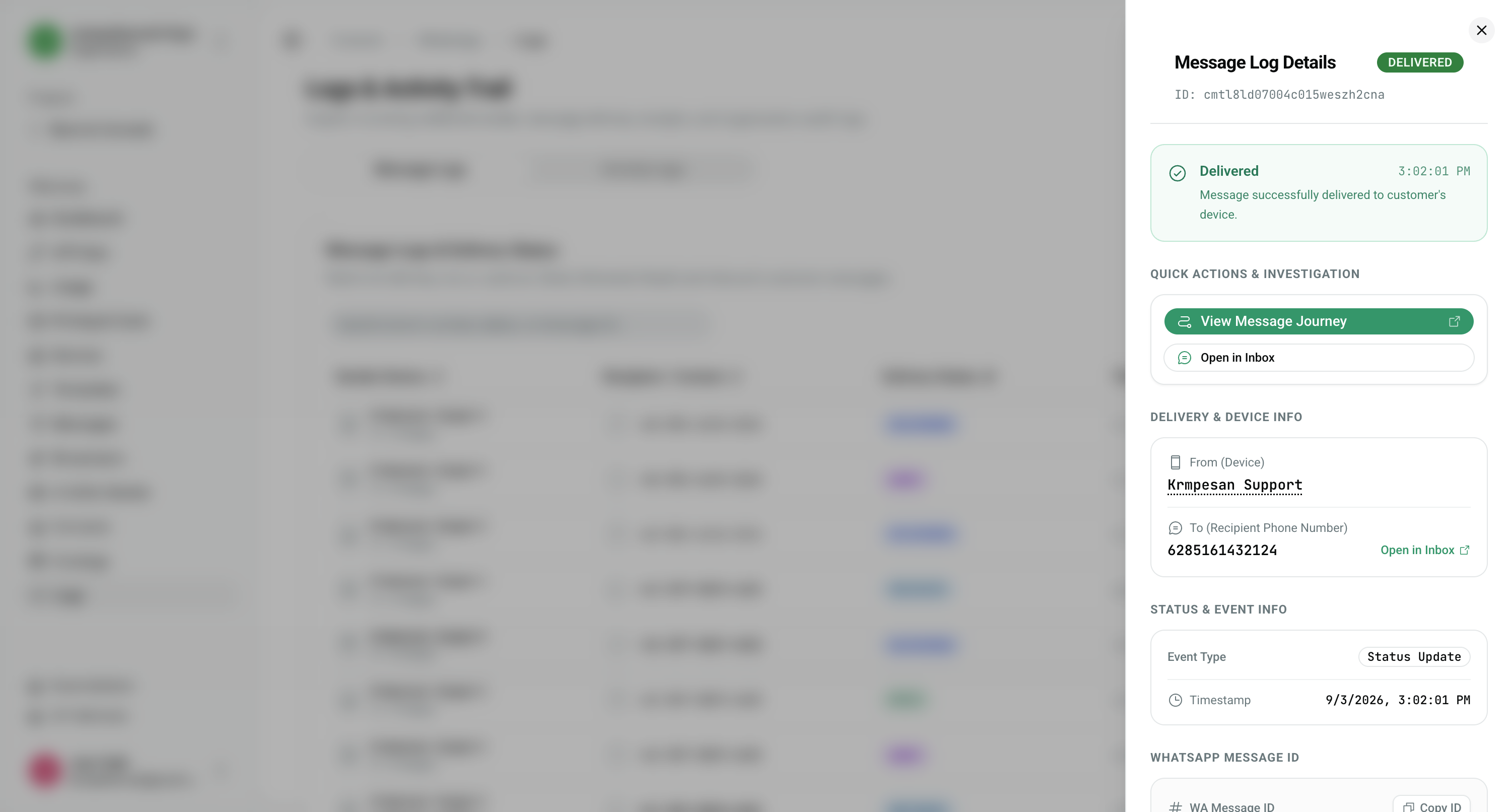
Click "Details →" on any message log row to open the quick investigation drawer:
- Quick Actions:
- View Message Journey: Opens the complete lifecycle history for that specific message.
- Open in Inbox: Jumps directly to the active chat thread in the live conversation view.
- Delivery & Device Info: Sender device alias, recipient number, and internal organization identifier.
- WhatsApp Message ID: One-click Copy ID button to copy the full Meta
wamidstring (e.g.wamid.HBgNNjI4N...) for Meta Business Manager audits or technical escalations.
3. Unified WhatsApp Message Journey
Click "View Message Journey" (accessible at /console/whatsapp/messages/[wamid]) to view the complete forensic timeline of a single message:
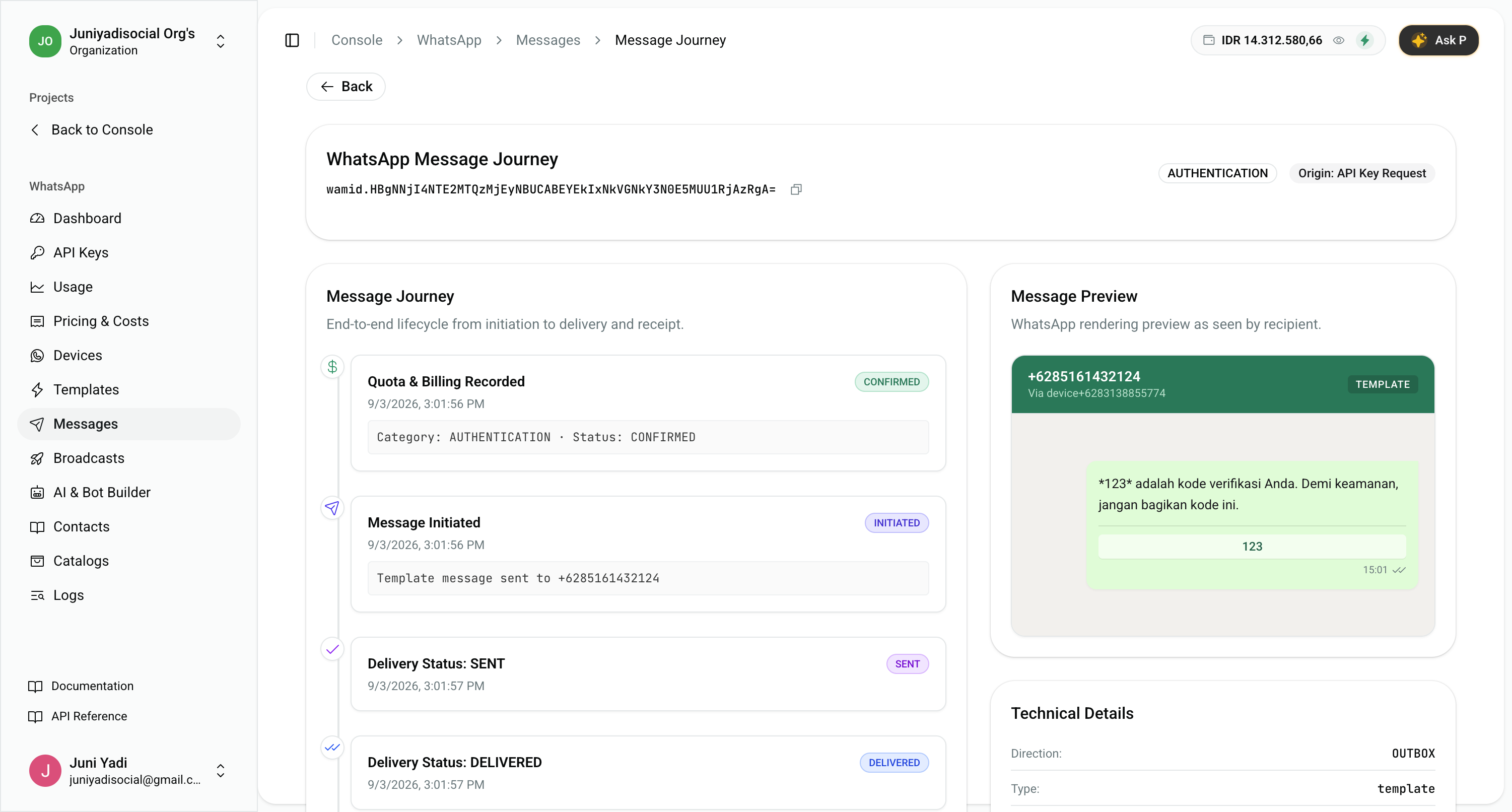
Journey Milestones:
- Quota & Billing Recorded: Shows initial credit reservation and category classification (e.g.
AUTHENTICATION · Status: CONFIRMED). - Message Initiated: Records dispatch timestamp and source trigger (e.g. API Key Request or Visual Bot Workflow).
- Delivery Status Progression: Step-by-step confirmation of
SENTandDELIVEREDevents with millisecond precision. - Message Preview: Realistic WhatsApp bubble rendering showing the exact text, variables, and footer delivered to the recipient.
- Technical Details: Direction (
OUTBOX/INBOX), message type (template/text), sender device, initiated user, and confirmed ledger billing state.
4. Activity Logs & Security Audits
Switch to the Activity Logs tab to review administrative actions:
- API key generations, rotations, and revocations.
- Template creations, edits, and Meta Graph API sync calls.
- Device pairings, token updates, and disconnections.
- Quota balance adjustments and automated refund restorations.