
The Subscriptions console (/console/billing/subscriptions) manages all recurring cloud services, volume packages, and platform tiers provisioned for your organization.
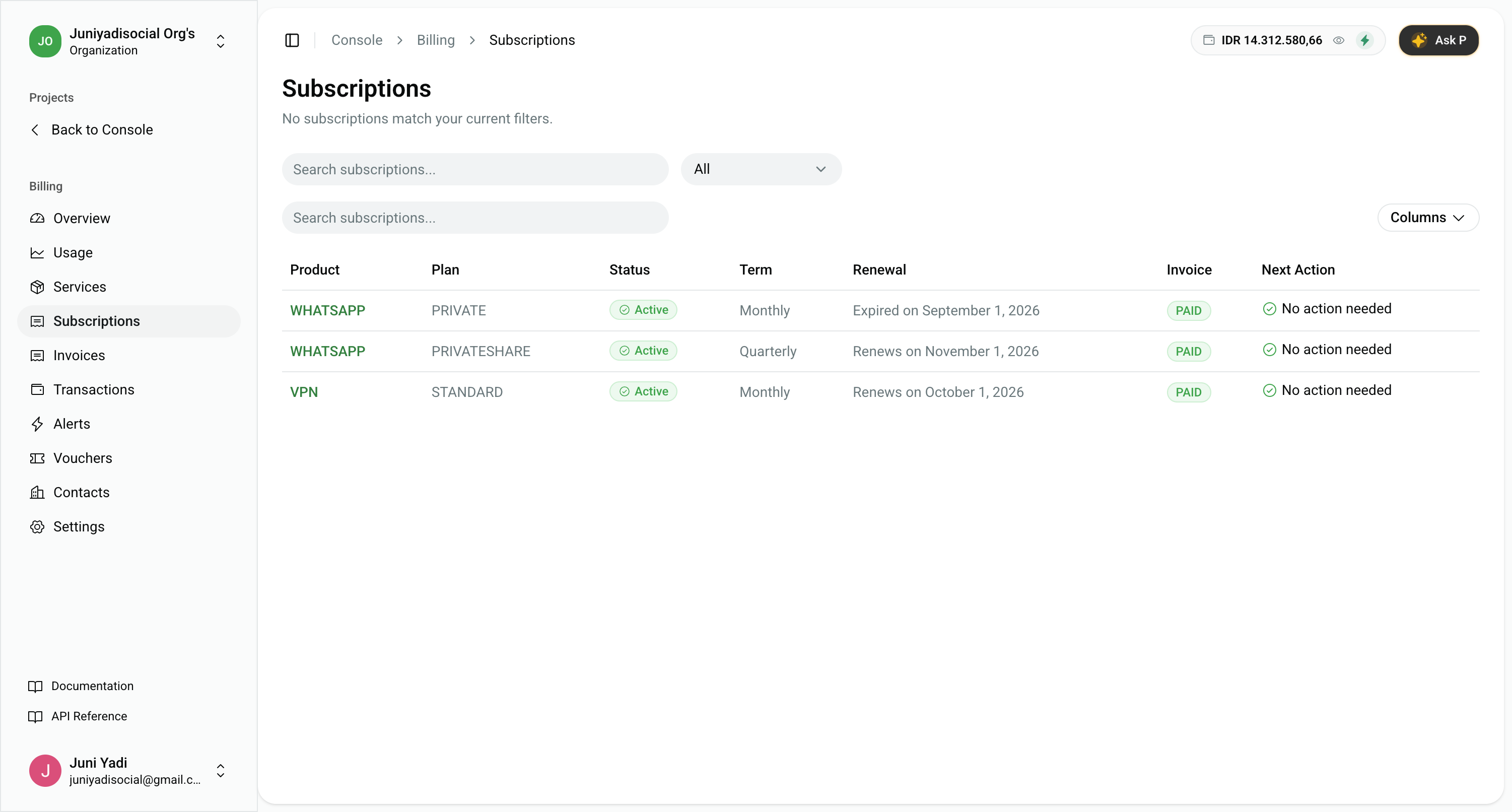
1. Subscriptions Overview Table
Navigate to Console > Billing > Subscriptions (/console/billing/subscriptions).
The subscriptions table organizes all your recurring services in one view:
- Product & Plan: Identifies the service family (e.g.
WHATSAPP,VPN,APP_HOSTING) and specific subscribed tier (e.g.PRIVATE,PRIVATESHARE,STANDARD). - Status Badges:
Active: Service is running normally with automated renewal enabled.Expiring / Expired: Subscription term has elapsed or renewal was stopped.
- Term & Cycle: Shows whether the service bills on a Monthly, Quarterly, or Annual schedule.
- Renewal Date: Upcoming scheduled renewal date or expiration milestone.
- Invoice Status: Verification that current billing period charges are fully settled (PAID).
- Next Action: Highlights required user intervention (e.g. No action needed or Top up required).
2. Subscription Details & Renewal Configuration
Click any subscription row to access the dedicated detail and management workspace (/console/billing/subscriptions/[id]):
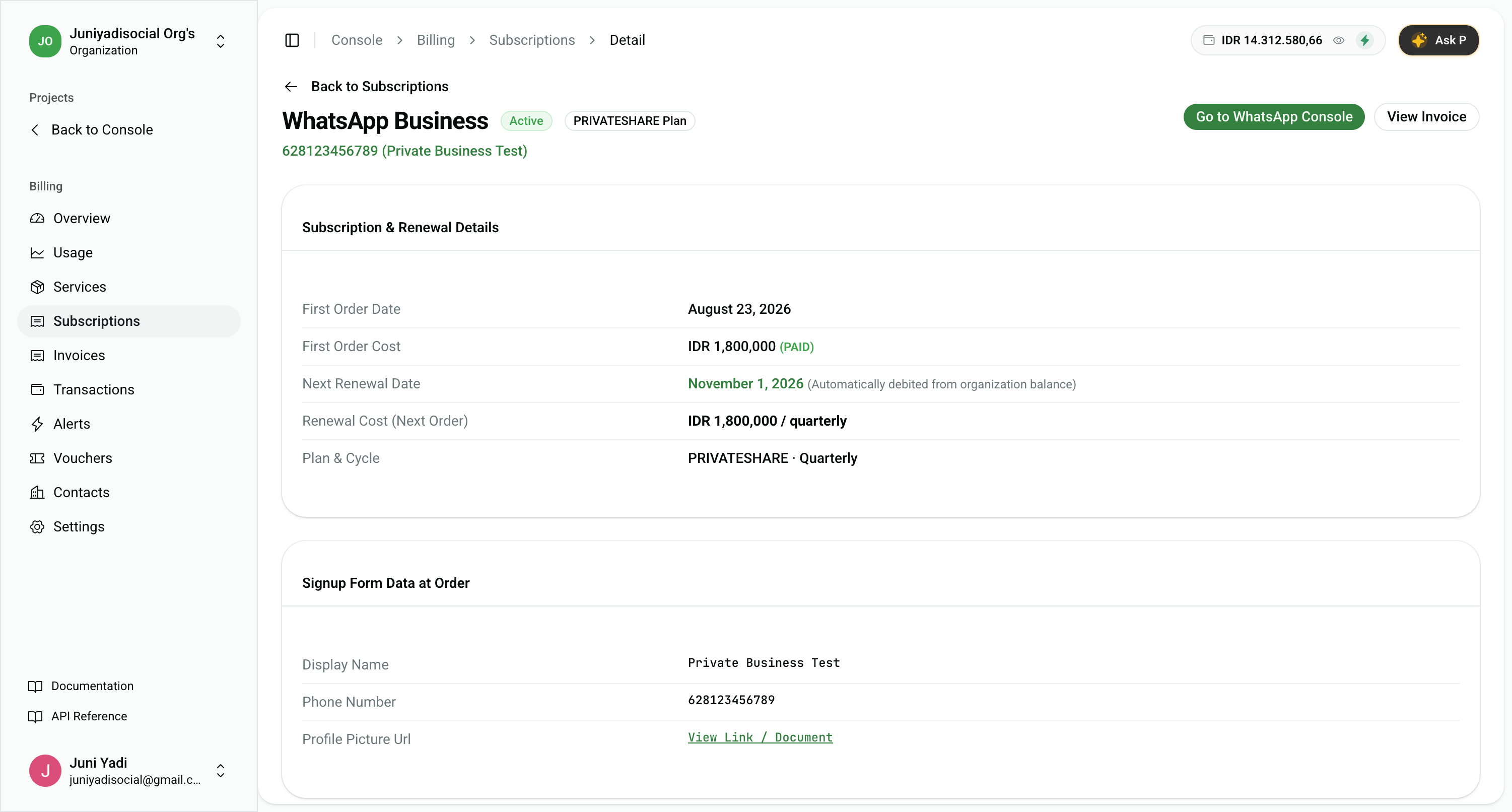
What You Can Inspect & Manage:
- Subscription & Renewal Details:
- First Order Date & Cost: Original activation date and initial invoice charge.
- Next Renewal Date: Scheduled auto-charge date (debited directly from your organization balance).
- Renewal Cost: Exact recurring amount per billing cycle (e.g.
IDR 1,800,000 / quarterly). - Plan & Cycle: Active plan specification and billing frequency.
- Signup Form Data at Order:
- Inspect captured setup metadata such as verified business display names, registered phone numbers, and profile assets.
- Quick Navigation Links:
- Go to Product Console: Jumps directly to the service workspace (e.g. WhatsApp Dashboard).
- View Invoice: Direct link to the official invoice generated for this subscription term.
- Lifecycle Management (Cancel Renewal):
- Click "Cancel Renewal" to stop automated recurring charges.
- The service remains 100% operational until the current renewal date, after which it will safely shut down without penalty.