
The Billing Console provides unified visibility into your organization's financial liquidity, recurring subscriptions, invoice history, and cloud resource expenditures.
Access this section via Console > Billing (/en/console/billing or /id/console/billing).
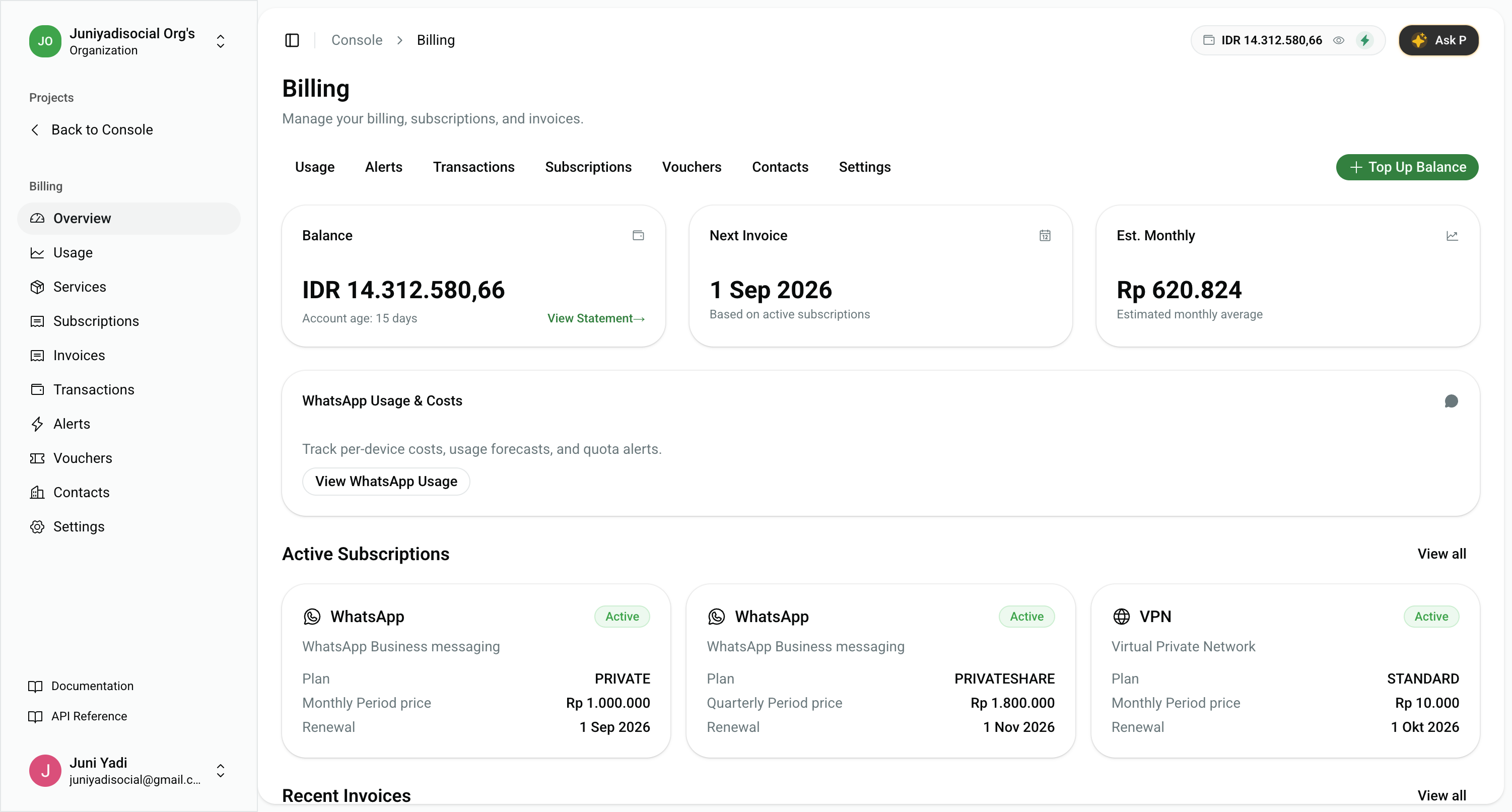
1. Key Dashboard Metrics
- Organization Balance: Total active liquid deposit available for automated subscription renewals and on-demand Pay-As-You-Go charges (e.g.
IDR 14,312,580.66). Click View Statement → to inspect the real-time banking statement. - Next Invoice Date: Scheduled upcoming renewal date for active service subscriptions based on running terms.
- Estimated Monthly Cost: Projected average monthly spend based on historical invoices and active service tiers.
- WhatsApp Usage & Costs: Direct link to granular per-device conversation consumption analytics.
2. Organization Balance Top-Up
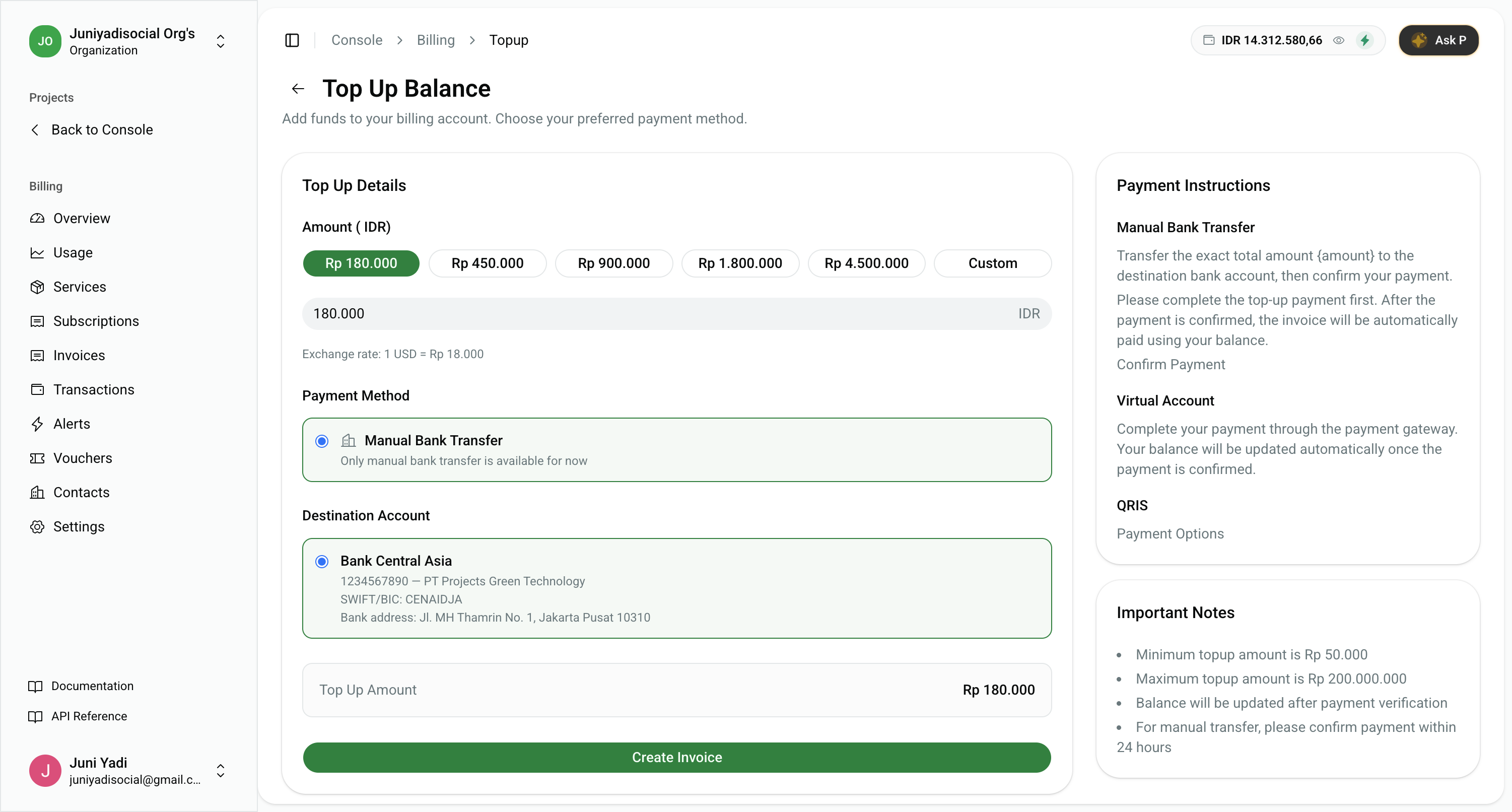
To ensure continuous uptime and prevent service interruptions due to insufficient funds, you can top up your balance at any time.
- From the billing dashboard, click "Top Up Balance" (or go to
/console/billing/topup). - Select a preset balance amount (e.g.
Rp 180.000,Rp 450.000,Rp 4.500.000) or enter a custom amount (minimumRp 50.000). - Choose your preferred payment method (Bank Transfer, Virtual Account, or QRIS).
- Complete payment before the expiration window. Your balance will be credited instantly once confirmed.
3. Active Service Subscriptions
The Subscriptions card displays all active recurring cloud services (such as WhatsApp Business Cloud, App Hosting, VPN, etc.) linked to your organization.
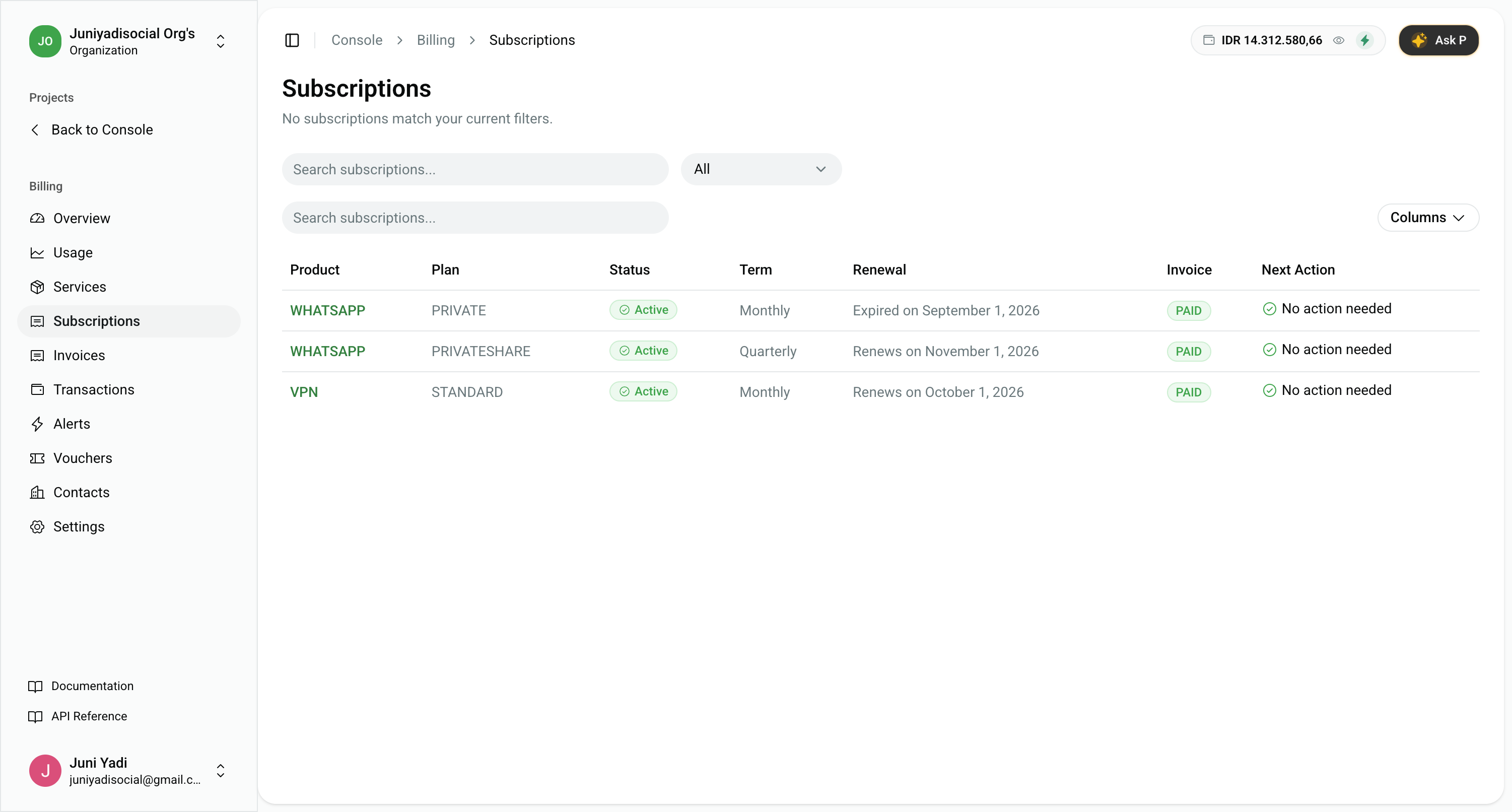
- Active Tiers & Plans: Detailed configuration and quota allocations of your running services.
- Renewal Cycles: Scheduled renewal dates and auto-charge statuses.
- Detailed Management: Explore our dedicated Service Subscriptions Guide for order details, signup metadata, and renewal cancellation policies.
4. Invoice Management & Tax Receipts
All issued service invoices and top-up receipts are listed in the Recent Invoices table:
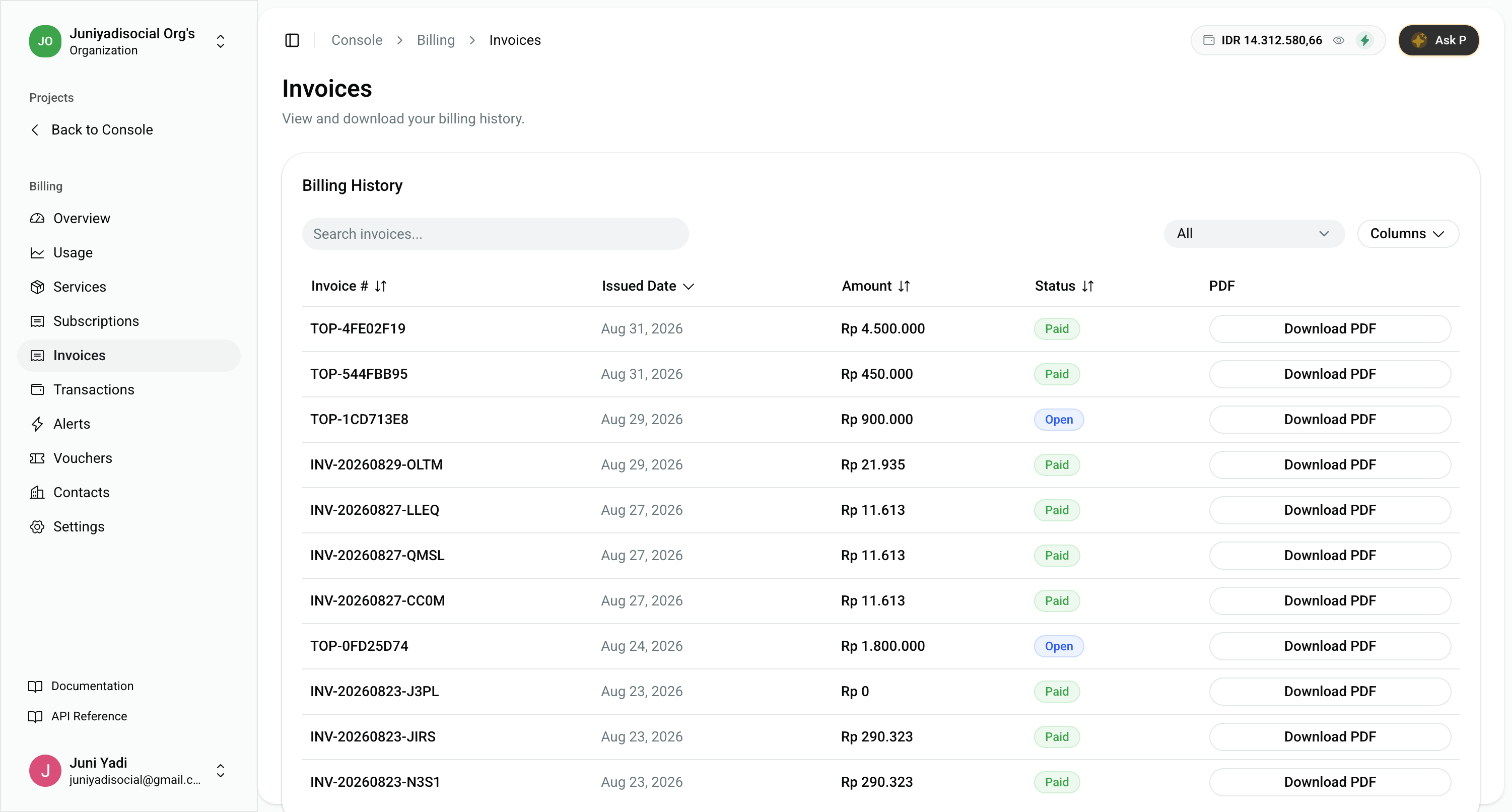
- Invoice Numbers: Official tracking codes (
INV-*for subscription orders,TOP-*for top-up invoices). - Payment Statuses:
Paid,Open, orVoid. - Download PDF: Instant export of official tax invoices issued by PT. Premium Fast Network.
- Detailed Accounting: Explore our dedicated Invoices & Billing History Guide for itemized line item breakdowns and corporate tax receipts.
5. Billing Navigation Menu
Access specialized modules from the top navigation bar:
- Subscriptions: Manage recurring service plans, renewal dates, and terms.
- Invoices: Search billing history and download official accounting PDFs.
- Transactions: Banking-style balance statement ledger tracking all debit and credit movements.
- Usage: Detailed resource consumption breakdowns and service charts.
- Alerts: Configure low-balance threshold triggers for automated notifications.
- Vouchers: Claim and apply promotional vouchers and enterprise discounts.
- Contacts: Maintain billing notification recipient email addresses.
- Settings: Manage billing currency, company legal information, and tax IDs.