
The Reports page turns your chats into simple numbers: how many customers wrote, how fast you answered, and how many bought.
Open it from WhatsApp > Reports, or click Reports at the top of the Messages page.
1. Pick what to look at
- Period (number 1): 7 days, 30 days or 90 days.
- Number (number 2): All numbers, or one WhatsApp number.
- Tabs (number 3): Summary, Response, Funnel, Team, Customers.
- Export CSV (number 4): download what you see as a spreadsheet.
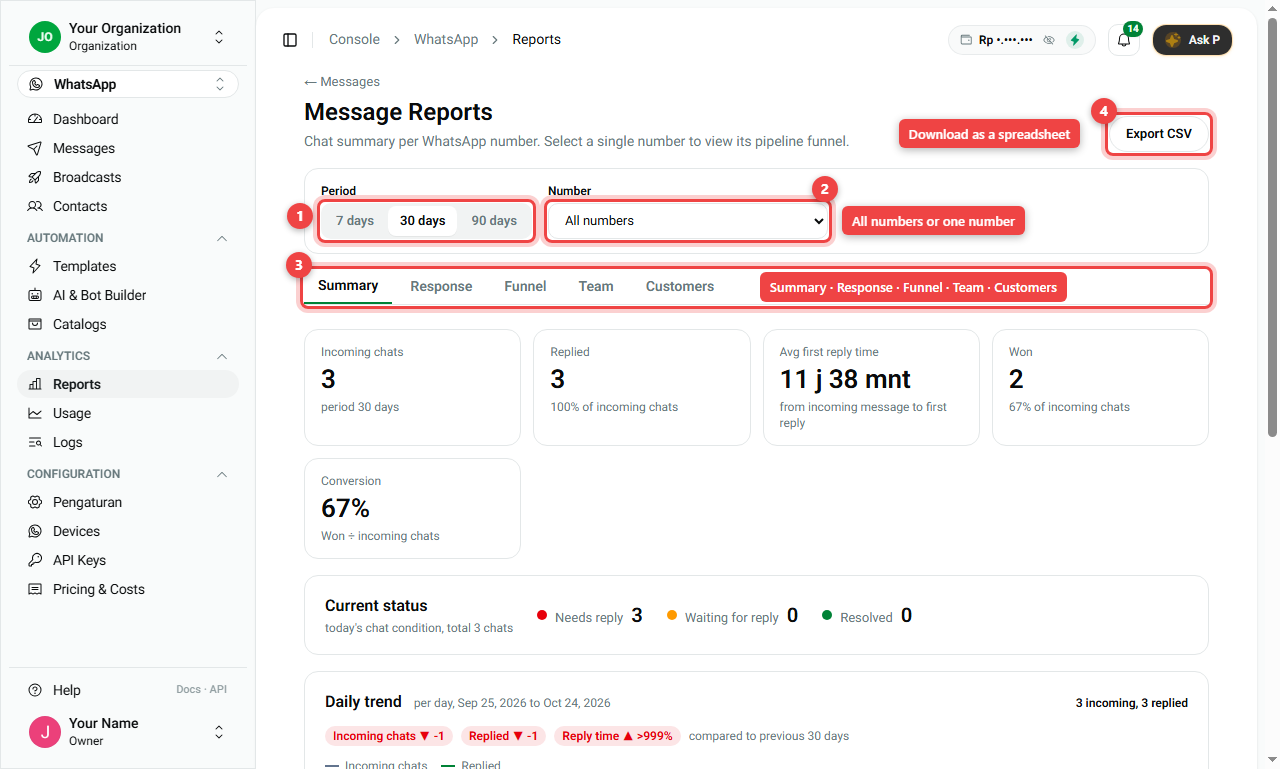
2. The five tabs
Summary
The big picture for the period:
- Incoming chats: how many customers wrote.
- Replied: how many got an answer.
- Avg first reply time: how long customers waited for the first answer.
- Won and Conversion: how many chats became a sale, and the percentage.
- Current status: chats that need a reply now, wait for the customer, or are done.
- Daily trend: a chart per day, compared with the period before.
Response
How fast you answer:
- First reply time per day, against a target line of 15 minutes. Below the line is good.
- Peak hours: which days and hours are busiest. Use it to plan who works when.
- Meta conversation categories: which kinds of messages you sent and their estimated cost.
Funnel
How many chats reached each stage of your pipeline, for example New → Paid → Shipped. You also see Top lost reasons. Pick one number first (number 1), then open Funnel (number 2) to see the chart (number 3).
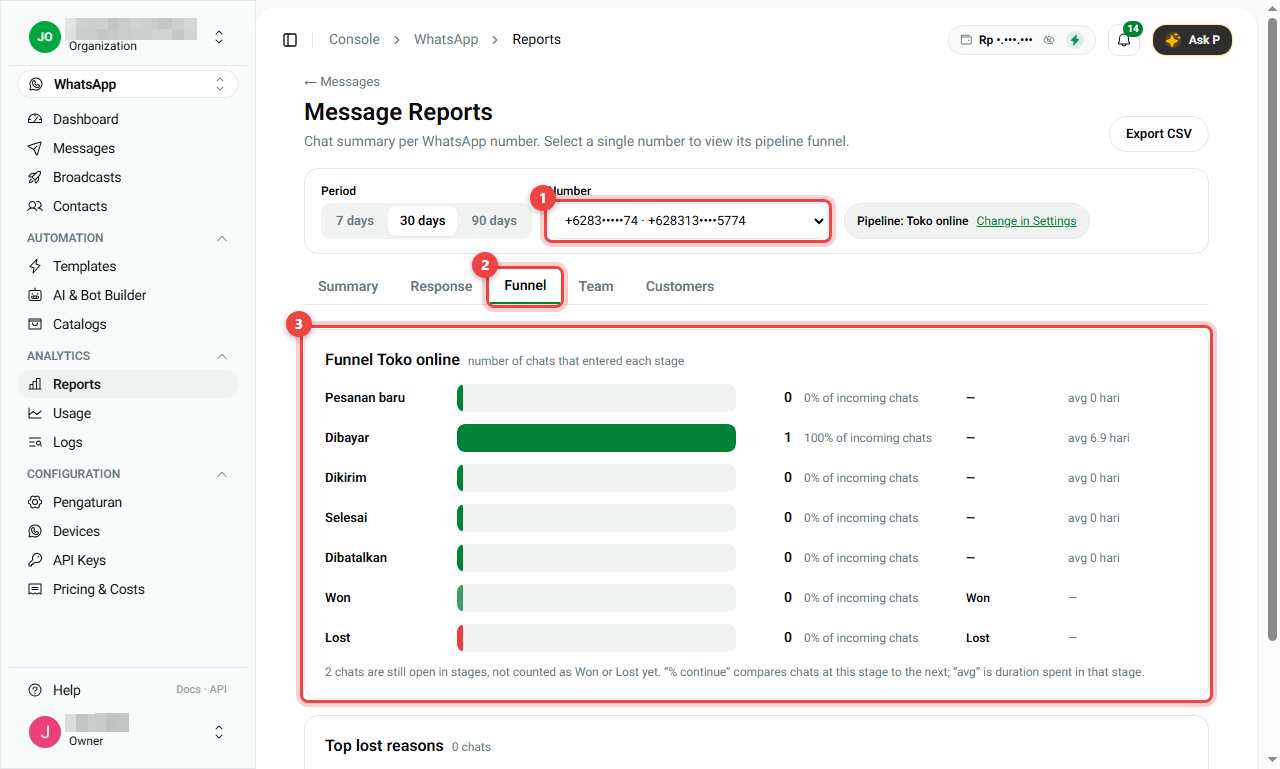
Team
One row per agent: chats handled, replied, first reply time, won, and conversion.
Customers
Who buys again: Repeat customer rate, Avg value per customer, and the time between two purchases. A repeat customer is someone with 2 or more won deals in the period.
Summary
| Question | Tab |
|---|---|
| How many chats did we get and win? | Summary |
| Are we answering fast enough? When are we busiest? | Response |
| Where do customers drop out? | Funnel (one number) |
| How is each agent doing? | Team |
| Do customers come back? | Customers (one number) |
- Change the period and number at the top; all tabs follow.
- Export CSV gives you the same data in a spreadsheet.